> For the complete documentation index, see [llms.txt](https://4sh-templates.gitbook.io/opulent-os2.0/llms.txt). Markdown versions of documentation pages are available by appending `.md` to page URLs; this page is available as [Markdown](https://4sh-templates.gitbook.io/opulent-os2.0/product-description.md).
# Product description
To enhance your product descriptions with our custom HTML:
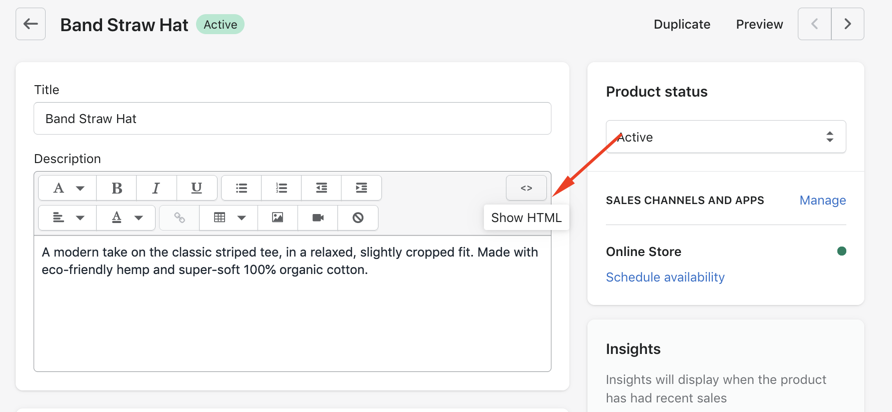
**Step 1:** From your Shopify admin, go to **Products >** choose the products you want to edit.
**Step 2:** Click **Show HTML,** then paste the code we provide below.
{% hint style="info" %}
To change the images, just upload them in **Settings > Files** and copy the link.
{% endhint %}